IRP Templates for Teachers
Below are the templates for teachers to complete with student data. Once you click on the file it will open up in a new tab.
It should automatically download to your "Downloads" folder on your computer.
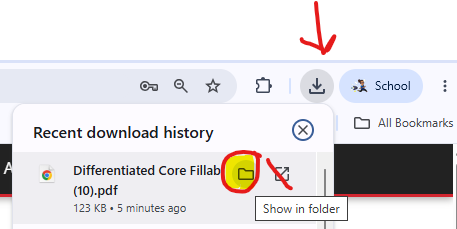
If you have trouble finding it, click the download icon at the top right of your browser and you will see the file you just downloaded at the top of the list. Click the "Manila" folder to go directly to the folder it downloaded to.
One you are in the folder, find your template > Right Click > Open With > Adobe and the fillable form should open.
Don't forget to "Save As" with a different name. Hope this helps!